Your Creative Toolkit: The Colorful Mixed Media Textured Pattern
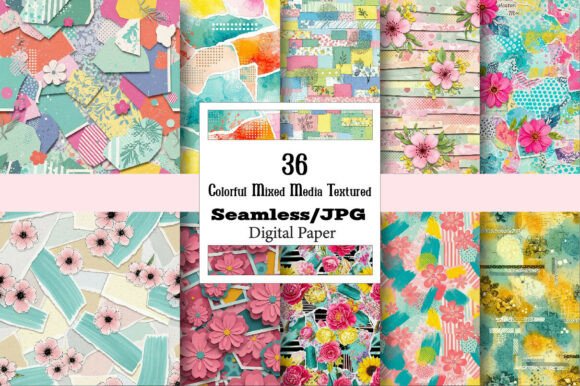
In the world of digital design assets, a truly versatile file is a rare find. The Colorful Mixed Media Textured Pattern is precisely that—a dynamic, layered graphic combining vibrant hues with tactile, artistic textures. It’s not merely a background; it’s a foundational element that injects energy and a handmade feel into projects. Whether you’re sublimating a tumbler, designing a wedding invitation, or creating a unique tote bag, this pattern offers a starting point brimming with personality.
Common Missteps and How to Correct Them
Many creators, from beginners to seasoned professionals, encounter similar pitfalls when working with such a multifunctional asset. Recognizing these early can save time, money, and ensure your final product shines.
Assuming All Uses Require the Same File Setup
A frequent oversight is treating one digital file as universally applicable. For instance, using the same resolution and color profile setting for sublimation on a mug and for a small graphic on a website banner often leads to problems. Sublimation demands high-resolution 300 DPI files to prevent pixelation on physical goods, while web graphics require optimized, lower-resolution files for fast loading. Applying a heavy 300 DPI image to your website can slow page speed dramatically, affecting user experience and SEO.
Better Approach: Before starting, define your end medium. Resize and adjust the Colorful Mixed Media Textured Pattern accordingly. Use the high-resolution master for physical products like pillows, bags, or printable fabric. For digital uses like social media backgrounds or website graphics, create a resized, web-optimized version (typically 72-150 DPI). This simple step of tailoring the file to its purpose preserves quality where it’s needed and efficiency where it counts.
Neglecting to Check Color Consistency Across Materials
The vibrant appeal of this pattern is central to its charm, but colors can render differently across various substrates. Imagine designing beautiful party napkins and plates only to find the printed colors look muted or shifted compared to the vibrant digital file on your screen. This often stems from not understanding the color profiles (RGB for digital, CMYK for many professional prints) or the specific behavior of dyes on materials like polyester for sublimation.
Practical Advice: Always request a test print or sample when working with a new material or print service, especially for personalized pillows or candle labels. For DIY projects, consult your printer’s manual or sublimation blank supplier for recommended color settings. A small test print on a scrap piece of your chosen material is a low-cost way to ensure color satisfaction before committing to a full run.
Essential Checks Before You Begin Your Project
Jumping straight into decoration without a few preparatory checks can undermine your effort. Here’s what to verify.
File Format and Editability for Your Specific Needs
You receive the pattern in JPG format, which is excellent for high-quality compression and direct printing. However, if your project requires isolating a specific texture element or altering the color balance for a brand logo integration, a JPG’s limitations become apparent. It’s a raster image, meaning you cannot easily separate its layered components.
What to do: If your vision involves significant manipulation, consider if you need a more editable format initially. For the provided JPG, use graphic software like Photoshop or Affinity Designer to make adjustments, knowing that major restructuring will be more complex. Plan your design layout around the pattern’s fixed composition, or use it as a beautiful, intact backdrop for your added text and elements, as seen in effective scrapbook decoupage or trendy social media backgrounds.
Scale and Pattern Repeat for Large-Area Applications
Using a seamless pattern for large-scale applications like wallpaper, book covers, or packaging requires attention to the pattern’s repeat. A pattern might look perfect on a small mug but reveal an awkward, obvious seam or a distracting focal point when tiled across a large tote bag or poster.
Solution: Before finalizing, tile the pattern in your design software to preview it across a large virtual area. Look for unintended stripes or clusters that break the visual harmony. The seamless nature of the Colorful Mixed Media Textured Pattern is designed to mitigate this, but a proactive check ensures the textured effect remains cohesive and professional on bigger surfaces.
Leveraging the Pattern for Maximum Impact
To avoid underutilizing this asset, think beyond the obvious. Its mixed media texture evokes watercolor, collage, and fine art, lending credibility and warmth to projects that might otherwise feel generic.
For example, a blogger might use it not just as a website background, but as a textured frame for featured images, adding consistent brand artistry. An educator creating digital presentations could employ subtle sections of the pattern as decorative headers or slide backgrounds, making materials more engaging without being distracting. A small business owner branding handmade soap labels can use the pattern to convey craft quality and natural appeal, directly communicating product values through design.
The key is to let the texture do the talking. When applying it to mini junk journals or planner covers, pair it with simple, legible typography. The pattern provides the visual interest, so you don’t need to add excessive extra graphics that create clutter. This balanced, thoughtful application results in products that feel designed, not just decorated.
Remember, the provided high-resolution file is your raw material. Its dimensions can be resized, but always maintain proportion and avoid stretching. Crop thoughtfully for focal points like on playing cards or phone cases. By approaching the Colorful Mixed Media Textured Pattern with these mindful strategies, you transform a downloadable graphic into a reliable partner for countless creative and professional endeavors, ensuring your final results are as vibrant and effective as you envisioned.